
Deepgram
Speech-to-text, text-to-speech and voice agent APIs for developers
Deepgram: $200 in free API credit for every new account
No end date announced
The offer
$200 credit
Discount code
No code needed
New Deepgram accounts only. No credit card required at sign-up. The credit applies to Deepgram API usage on the Pay As You Go plan; after it is used up, standard pay-as-you-go rates apply.
Step by step
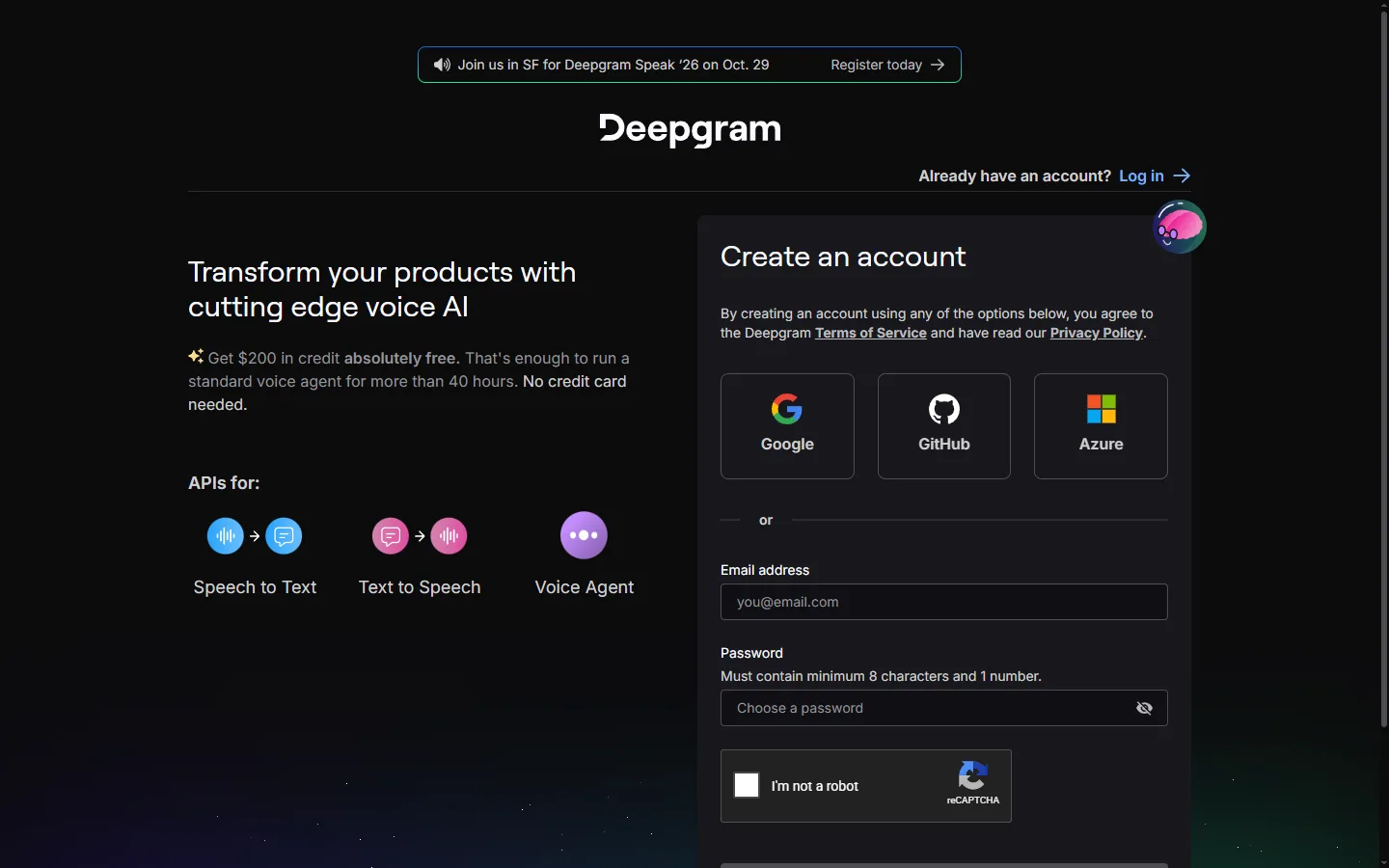
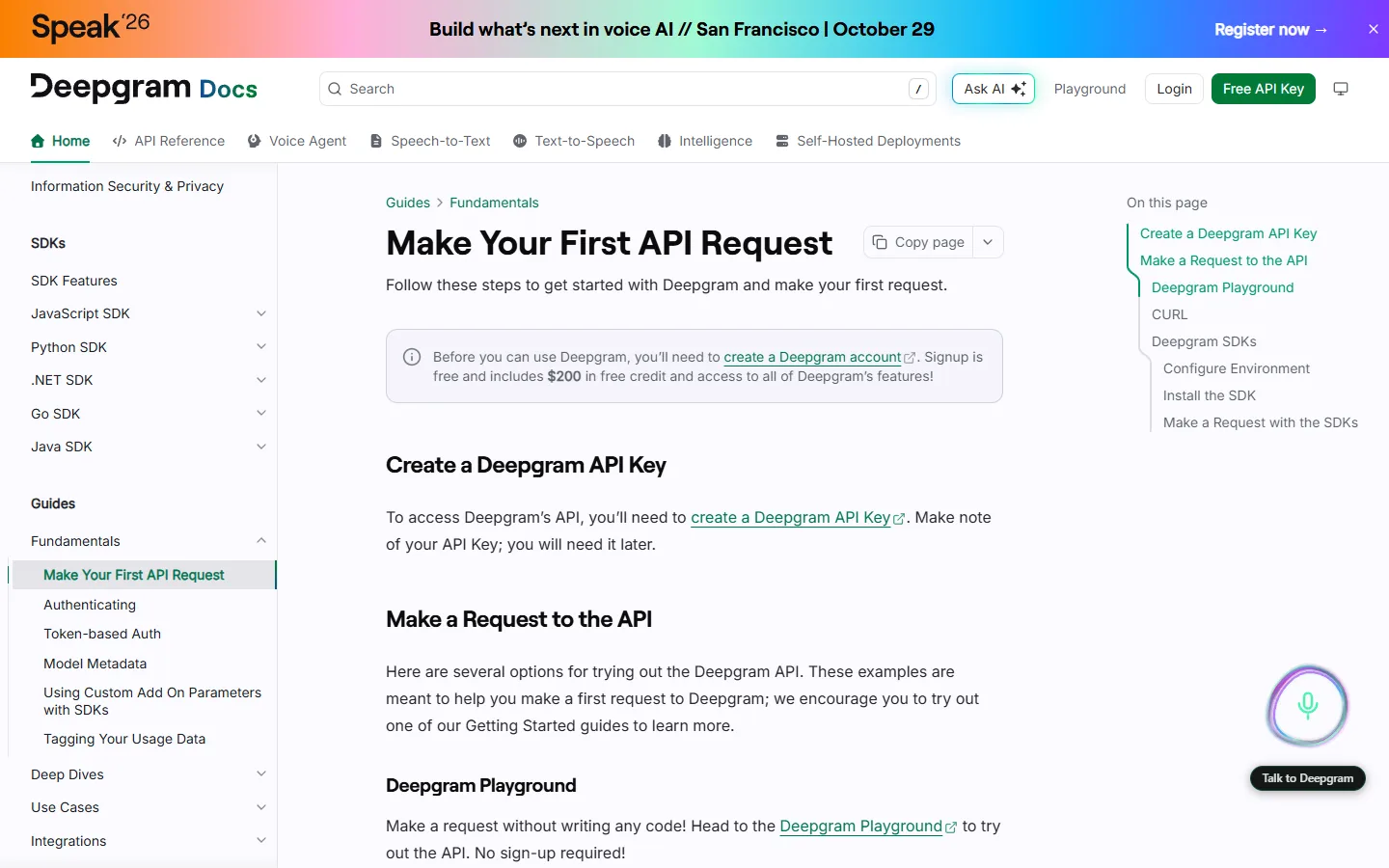
Screenshot taken on October 27, 2026. Red boxes show where to click.
Log in to save your progress.
Create an account
Open the Deepgram sign-up page and register with email, Google or GitHub.
Check your balance
In the Deepgram Console, open your project's billing section to see the $200 credit.
Create an API key
Generate an API key in the Console and make your first request using the getting-started guide.
Did this deal work for you?
Frequently asked questions
Do I need a credit card?
No. The sign-up page states that no credit card is needed to get the $200 credit.
Source: console.deepgram.com/signup