Jotform, Typeform and Tally all have free plans, and all three cut the price of their paid plans for certain groups. The catch is that each one picks a different group. Jotform gives nonprofits 50% off annual plans. Typeform gives seed-stage startups 75% off its Business plan for a year. Tally gives non-profits 30% off Tally Pro for as long as they stay subscribed.
So the question is not which form builder has the best discount, but which discount you actually qualify for. Below we go through each offer as the company describes it on its own pages, what you need to apply, and how to choose between the three tools if more than one offer fits.
The three offers at a glance
| Tool | Discount | Who it is for | How long |
|---|---|---|---|
| Jotform | 50% off all annual plans | Nonprofits, including 501(c)(3) organizations | Annual plans |
| Typeform | 75% off the Business plan | Seed-stage startups under $1M in funding and revenue | One year, yearly billing |
| Tally | 30% off Tally Pro | Non-profits that are new Tally Pro customers | Forever |
All three discounts need an application. None of them is a coupon you type at checkout without being reviewed, so allow a little time between signing up and paying.
Jotform: 50% off annual plans for nonprofits
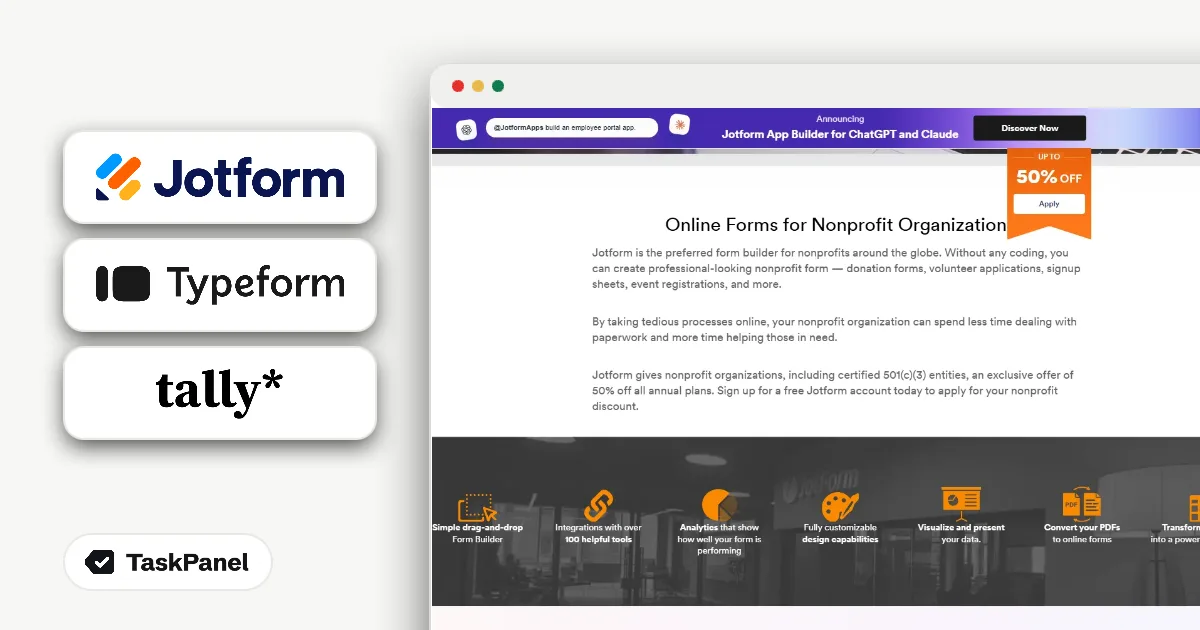
Jotform is an online form builder used for donations, sign-ups and surveys. Its nonprofit page says: "Jotform gives nonprofit organizations, including certified 501(c)(3) entities, an exclusive offer of 50% off all annual plans."
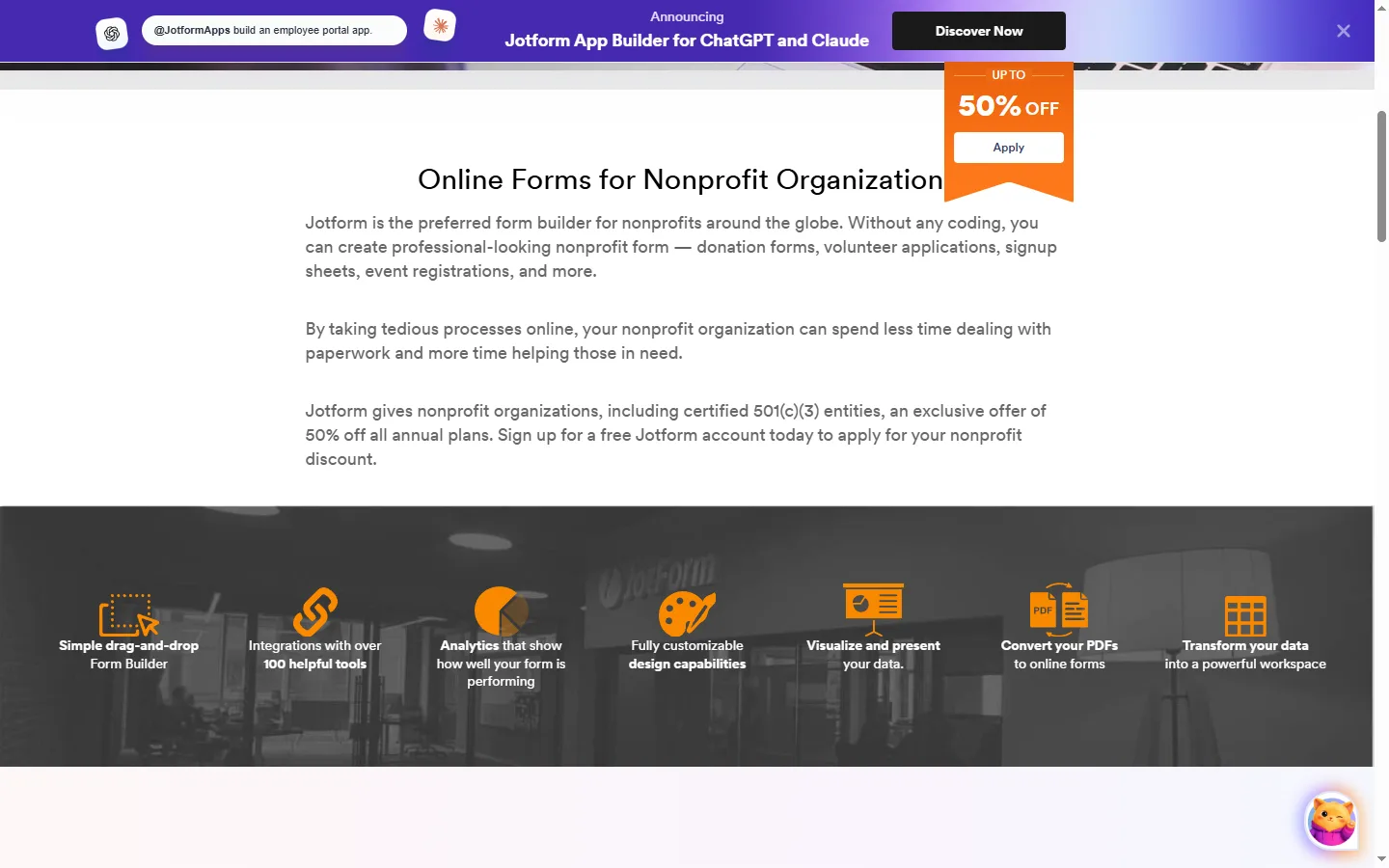
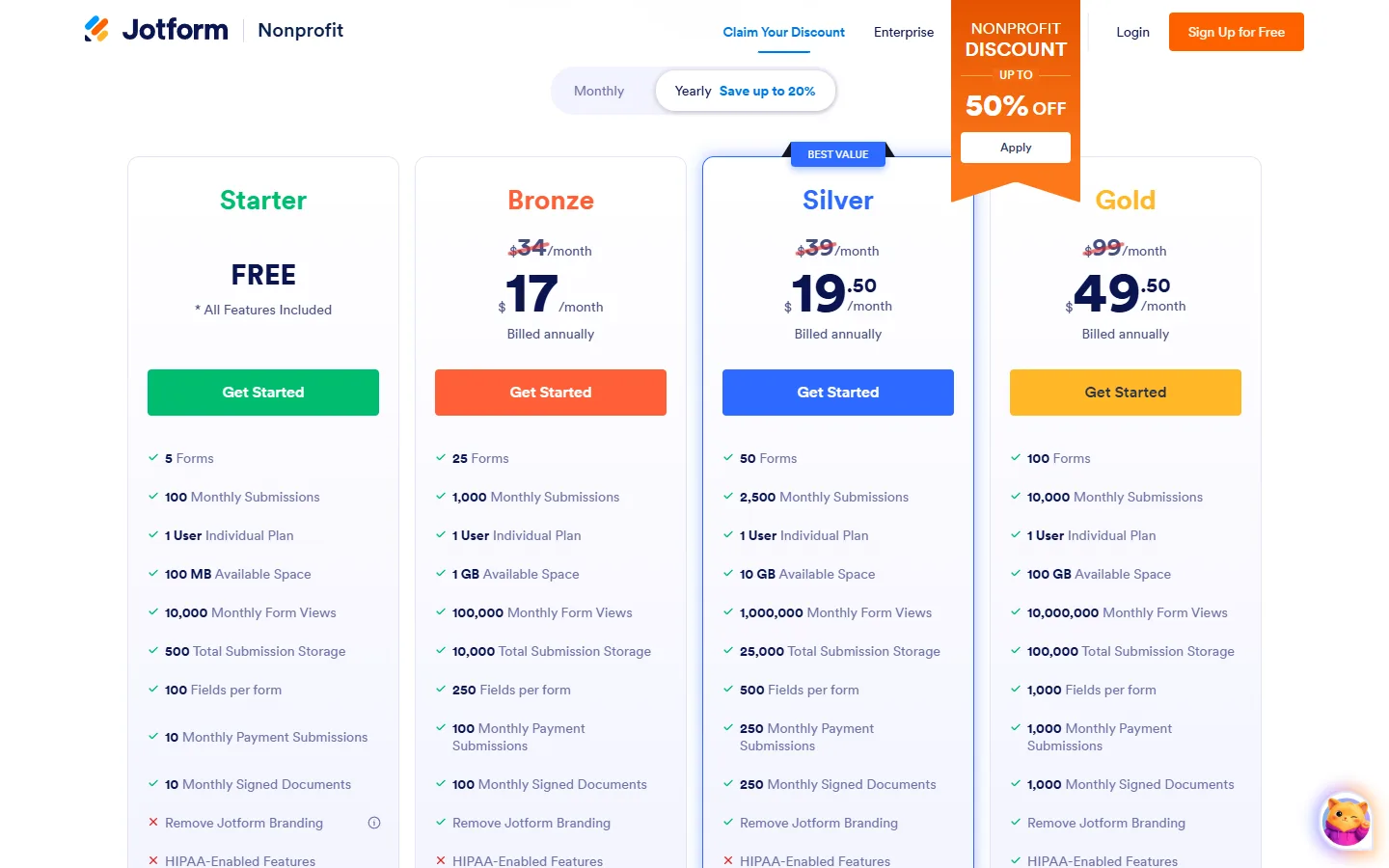
The wording matters in two places. The discount covers annual plans, so you pay for a year up front at half price. And it is offered to nonprofit organizations, with certified 501(c)(3) entities named as one example. Jotform grants the discount after it reviews your application.
For a charity, the most common use is a donation form connected to a payment provider, plus volunteer sign-ups and event registrations. If those forms run all year, an annual plan at 50% off is usually the cheapest way to keep them going. Full details are on our page for Jotform's nonprofit discount.
How to get Jotform's nonprofit discount
- Create a free Jotform account with Google, Microsoft or email.
- Open the nonprofit page, click the apply button and fill in your organization's details.
- After approval, choose an annual plan. The 50% discount applies to it.
Typeform: 75% off Business for seed-stage startups
Typeform builds conversational forms, surveys and quizzes that show one question at a time. Its help center describes a startup offer: "If you meet the criteria below, you can sign up to get started with Typeform at 75% off our Business plan for a year."
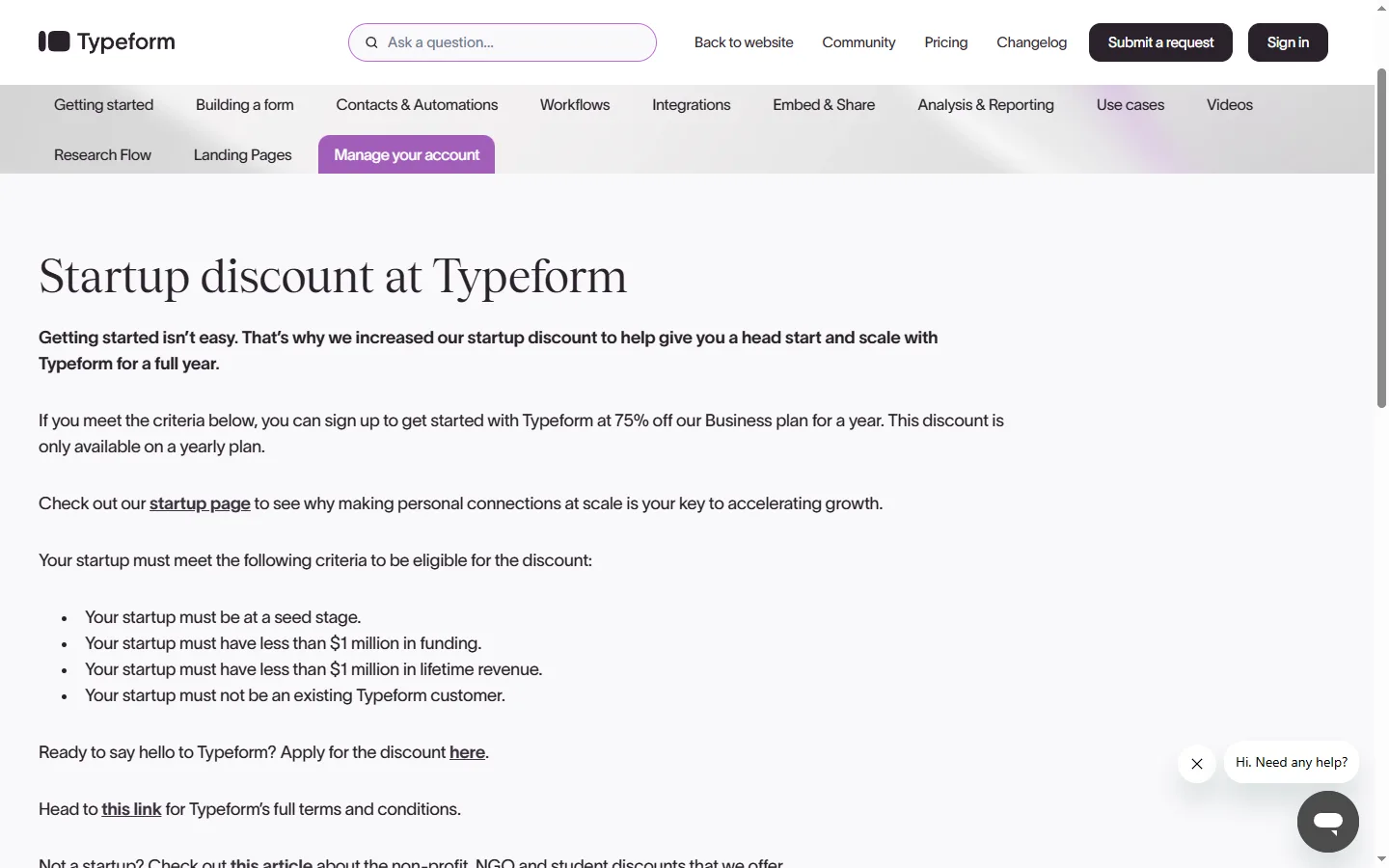
The criteria are specific, and it is worth reading them before you apply:
- Your startup is at the seed stage, with less than $1 million in funding.
- Your lifetime revenue is also under $1 million.
- You are not already a Typeform customer.
- The discount is for the Business plan on yearly billing. Enterprise plans are not included.
This is the deepest discount of the three, but also the narrowest. It suits a young company that collects leads, runs onboarding surveys or tests product ideas with quizzes, and wants Typeform's Business features without paying full price in its first year. The terms are on our page for Typeform's startup discount.
How to get Typeform's startup discount
- Read the startup discount requirements in Typeform's help center.
- Fill in the Typeform for Startups application form.
- After approval, use the discount on a yearly Business plan.
Remember that the 75% applies for one year. Before you build your whole workflow on Typeform, check what the Business plan costs at the regular yearly price, because that is what you will pay from the second year.
Tally: 30% off Tally Pro forever for non-profits
Tally is a form builder that works like a document: you type questions the way you would write a page. Its non-profit page says: "Tally offers non-profit organization 30% off Tally Pro forever."
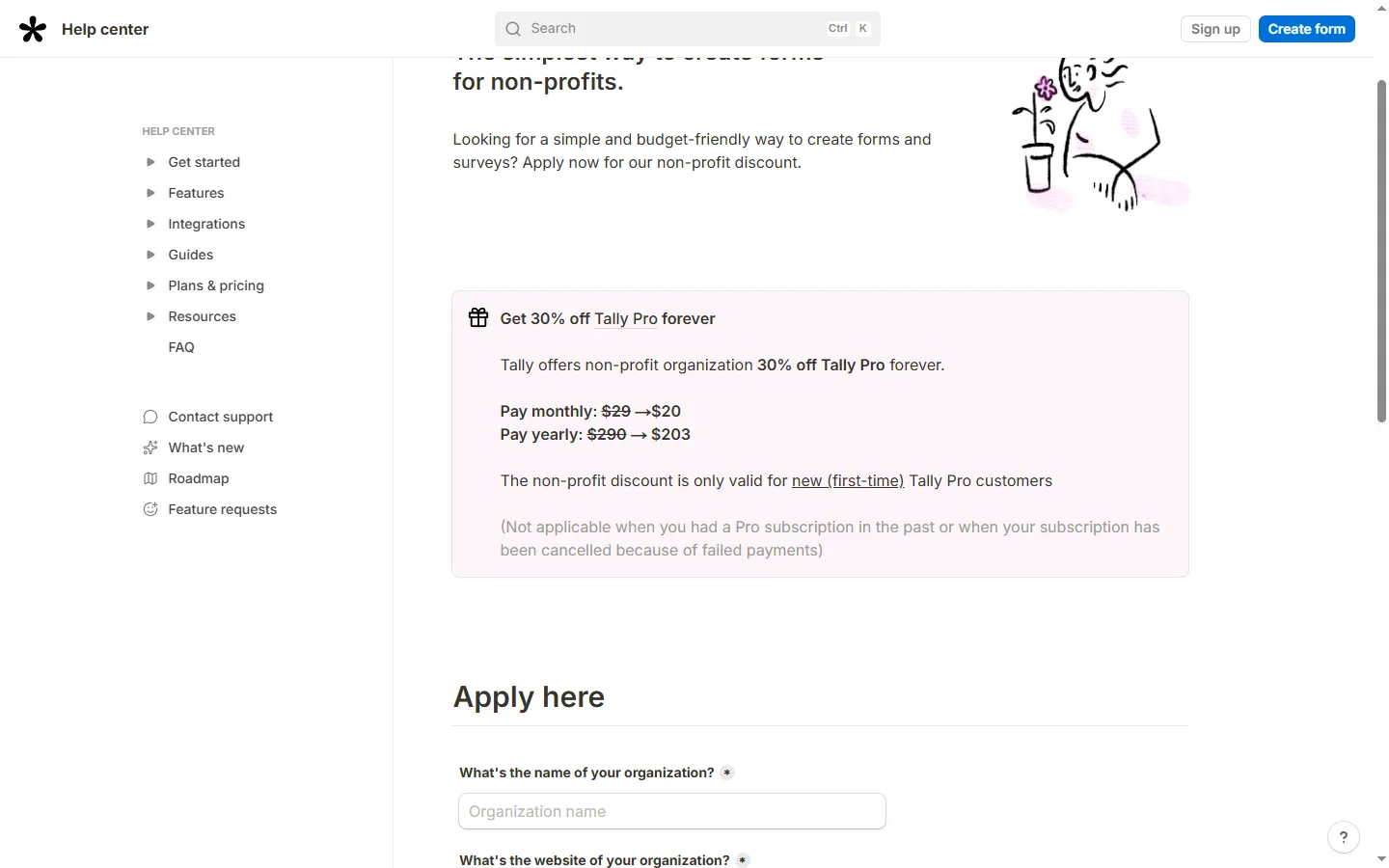
In numbers, non-profits pay $20 instead of $29 a month, or $203 instead of $290 a year. The discount is smaller than Jotform's, but it does not end, which counts for an organization that plans to use the tool for years.
There are two conditions. The discount is for first-time Tally Pro customers, so it does not apply if you had a Pro subscription before. It also does not apply if a previous subscription was cancelled because of failed payments. If you are new to Pro, apply before you upgrade. The details are on our page for Tally's non-profit discount.
How to get Tally's non-profit discount
- Create a free Tally account if you do not have one yet.
- Use the application form on the Tally for non-profit page.
- After approval, upgrade to Tally Pro monthly ($20) or yearly ($203).
How to choose if more than one offer fits
A nonprofit could use either Jotform or Tally. A startup that is also a registered nonprofit is rare, but it happens. When more than one discount is open to you, compare the tools on how you will use them rather than on the size of the discount.
- You need donation, payment or approval workflows. Jotform is built around forms that feed into other processes, and the 50% annual discount makes it cheap to run them all year.
- You want forms people enjoy filling in. Typeform's one-question-at-a-time style tends to suit surveys, quizzes and onboarding, and the startup discount covers the Business plan for a year.
- You want something simple that your team can edit like a document. Tally keeps form building close to writing, and its 30% discount does not expire.
- You are unsure. All three have free plans. Build the same form in two of them, send it to a few colleagues, and keep the one that was easier to make and to fill in.
When a discount is not the deciding factor
A discount makes a tool cheaper, but it does not make it the right tool. Before you apply, spend an hour on the free plan of each candidate and check the things that will matter every week, not just on the day you sign up.
- Where the answers go. Look at how each tool sends responses to the places you already use, such as a spreadsheet, an email inbox or a CRM. A form that collects data nobody sees is no use, whatever it costs.
- Who will edit the forms. If several people in your team will build and change forms, pick the editor they find easiest. A tool that only one person understands becomes a bottleneck.
- How the form looks on a phone. Many donors, volunteers and customers fill in forms on mobile. Open your test form on a phone before you decide.
- What happens at renewal. Jotform's discount is tied to annual plans, Typeform's lasts one year and Tally's stays as long as you subscribe. Think about the cost in year two, not only year one.
If two tools pass these checks equally well, the discount is a fair way to break the tie. If one tool clearly fits your work better, paying a little more for it is usually cheaper than moving all your forms later.
What to prepare before you apply
Discount reviews go faster when you have the right documents ready. For the nonprofit offers, keep your registration documents and the organization's official email address at hand. For Typeform's startup offer, be ready to state your funding stage and that your funding and lifetime revenue are both under $1 million. Applying from an account and email address that clearly belong to the organization avoids back-and-forth with support.
Common mistakes
- Paying first and applying later. All three discounts are approved before you buy. Upgrading first usually means paying full price for that period.
- Choosing monthly billing with Jotform or Typeform. Jotform's nonprofit discount is for annual plans, and Typeform's startup discount needs yearly billing.
- Forgetting the end of Typeform's year. The 75% lasts one year. Put a reminder before renewal.
- Applying to Tally after a previous Pro subscription. The 30% is only for first-time Pro customers.
We check these offers against each company's official page and update our deal pages when the terms change. The current details are on our pages for Jotform, Typeform and Tally.